Editing Name and Phone Number of Users
You can edit the user's name, and add or edit a phone number in the IAM interface.
|
➢
|
To edit name or phone number of user: |
|
2.
|
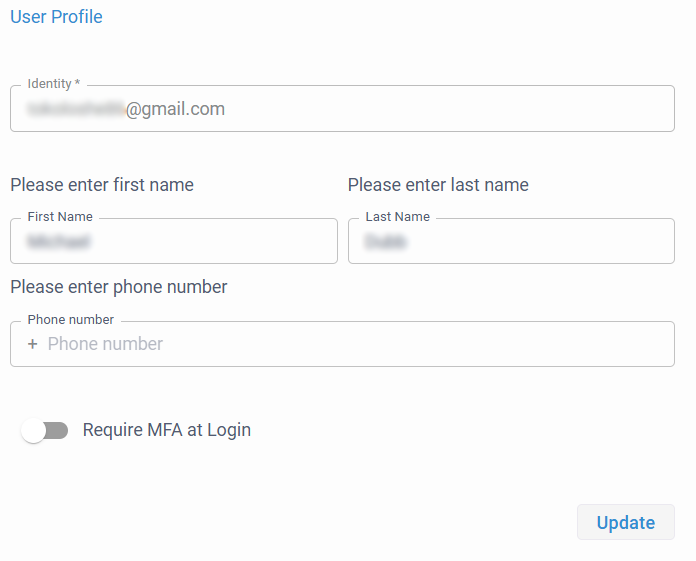
Click your profile icon located in the top-right corner, and then from the drop-down menu, choose Edit User; the User Profile page appears: |
|
3.
|
To edit the first and last names, use the 'First Name' and 'Last Name' fields, respectively. |
|
4.
|
To add or edit the phone number, use the 'Phone number' field. |
|
5.
|
Click Update; a success confirmation message is displayed. |
|
6.
|
Close the browser page. |